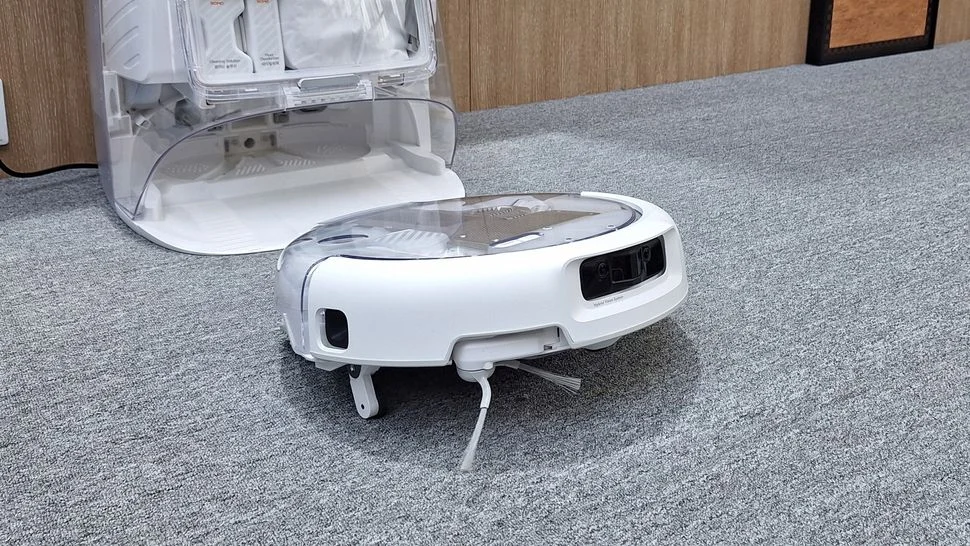
DJI is known for drone and camera tech, but is also developing home robotics. The ROMO 2 series is part of the company’s IFA 2026 program in Berlin. For buyers, it’s a reason to explore a new direction for the brand, but not a reason to automatically rank it above other robot vacuum makers.
A home robot faces a unique challenge: working daily in a space that’s constantly changing. Slippers appear on the floor, cables are left under the table, chairs move, and a pet naps on the rug. That’s why it’s better to judge a device not by a single advertised number, but by how many tasks it truly takes off your hands.
What’s confirmed, and what needs separate testing
DJI’s official announcement for IFA confirms the ROMO 2 series. The lineup and press center mention ROMO P2 and ROMO A2. Check details for your exact model, configuration, and market: the same family name doesn’t guarantee the same station, accessory set, or service terms.
This article doesn’t compare cleaning speed or rank the device: SHKARAN hasn’t done its own measurements yet. Instead, we offer a clear selection program. You can use it for ROMO or any other system—so the comparison is based on the same tasks, not different demo videos.
Start with your apartment’s layout
Before checking specs, walk through your home and note any limitations. Measure the height under your lowest furniture, mark thresholds and narrow passages. See which rugs are on the route and where cables usually remain. Also, plan the station’s location: maintenance should be convenient, or a large base may disrupt daily life.
Photos of these spots will help you discuss a specific model with the seller. Instead of asking “Does it drive well?”, you’ll have concrete questions: does it fit under this cabinet, can it enter this opening, what happens at this rug. If a key parameter is at the edge of the stated capability, look for a test of that exact case.
Navigation and obstacle recognition
Mapping the space and safely navigating it are different tasks. The map describes the area, but obstacles can appear after mapping. In daily use, check for small objects, dark areas, and tricky furniture edges. Avoiding an object doesn’t prove the robot identified its type or can repeat the result under different lighting.
A useful metric is the number of interventions over several cleanings. If you constantly have to free the wheels, move the device, or redraw no-go zones, the formal coverage area says little about convenience. In a demo, ask to repeat a tricky spot several times and show what happens after a failed attempt.
Dry cleaning, carpets, and wet cleaning
The same floor can require different approaches. For dry cleaning, check for small debris by the wall, crumbs under the table, and hair near furniture. On carpets, assess not just the surface look, but how the device handles edges and whether it misses any spots. The condition of the brushes after cleaning is also part of the result.
For wet cleaning, everyday household messes are more useful than staged demos. Watch for streaks, how it cleans along the baseboard, and what happens at the edge of the coverage area. If you have sensitive flooring, always check the recommended care mode with the flooring manufacturer first.
| Test area | What to show in the demo | What to record in the results |
|---|---|---|
| Space under furniture | Clearance under your lowest point | Areas reached and missed |
| Carpet | Entry, cleaning, and exit | Stuck points and interventions |
| Area by the wall | Typical debris along the edge | Residual dirt strip |
| Small obstacles | Common safe objects | Avoidance, contact, and stops |
| Wet cleaning | Identical household mess | Residue after drying |
Station: service is always required
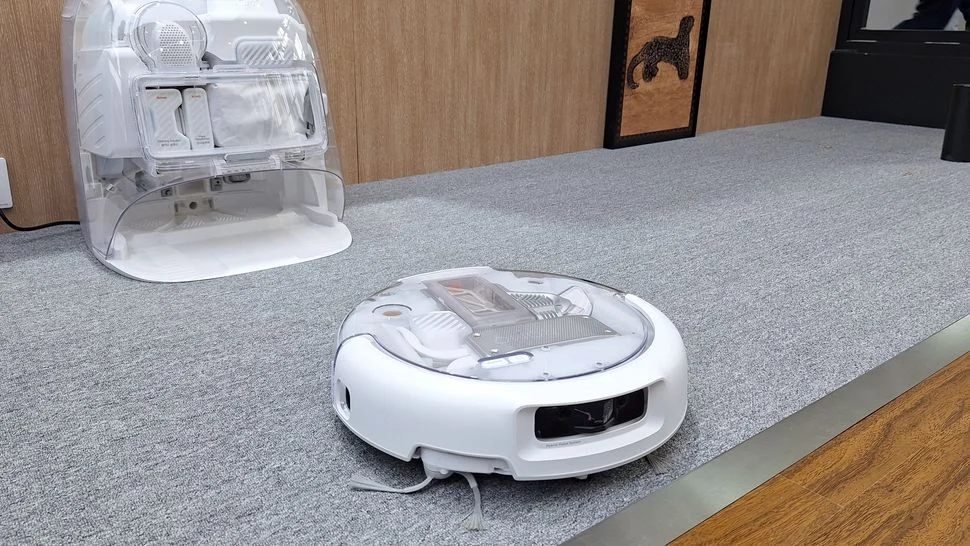
The automatic base handles part of the routine, but the terms of this automation should be taken literally. Make a list of owner tasks: refilling water, removing waste, servicing tanks, checking filters, and cleaning accessible elements. The exact list depends on the configuration; marketing promises do not apply to every station variant.
Ask for a full demonstration of maintenance, including inconvenient steps. It's important to see how easy it is to remove the container, where to wash it, whether consumables are available, and what actions are needed after downtime. A robot that cleans floors well but requires complex daily prep may not fit your lifestyle.
Purchasing for another country: app and service
If the device is supplied from another region, check more than just the power plug. You need the exact version, app availability, activation procedure, interface language, and update process. Resolve these questions before payment and get answers specific to your country. A description of a similar model from another store is not a substitute for this check.
Clarify in advance who is responsible for diagnostics, which parts can be serviced locally, and how warranty claims are processed. For a home robot, access to brushes, filters, and station parts is as important as the first cleaning impression. Knowing these details helps you compare total ownership cost, not just the box price.
How to compare two robots fairly
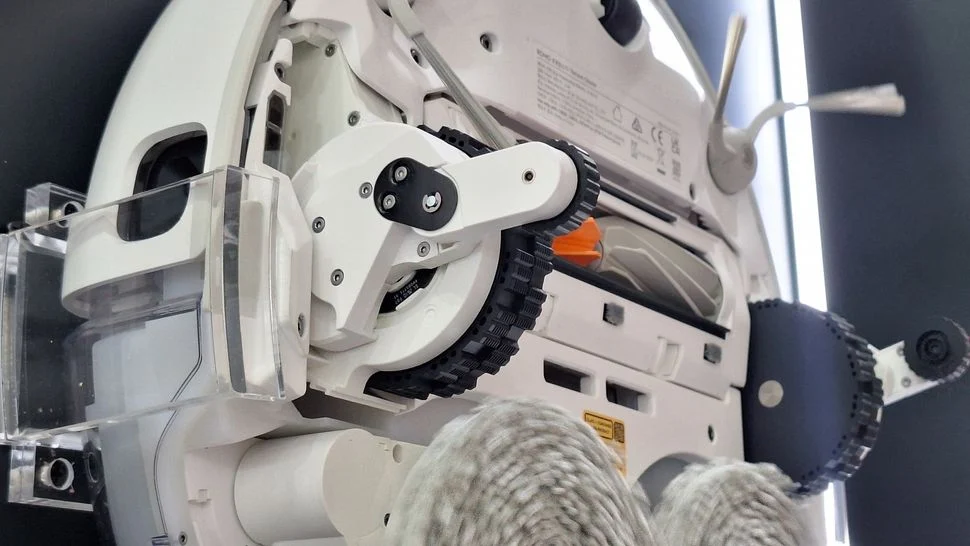
Set the same route and identical conditions. Don’t rearrange furniture between runs, use the same type of dirt, and consider cleaning modes. Record cleaning time, missed areas, number of interventions, and post-cleaning maintenance time. One successful run shows potential; a series of cleanings shows predictability.
Also consider family comfort. Cleaning may happen at inconvenient times, the station’s noise can disrupt calls, and notifications may demand extra attention. These factors are hard to express in a single technical figure, but they determine whether the device is truly convenient for daily use.
Who should consider the ROMO 2
This series is worth adding to your comparison list if you’re choosing a home robot and ready to try a new ecosystem. Make your final decision after seeing the exact configuration and checking service options. The manufacturer's reputation in other tech categories is useful context, but doesn’t replace cleaning results.
SHKARAN editorial conclusion: a good home robot is one that works reliably in your space and requires straightforward maintenance. For ROMO 2, we recommend starting with this evaluation program. It helps turn interest in a new model into a concrete list of questions and gives you a solid basis for purchase.